

I get asked a ton about making Inkscape SVG files. I know that some of you are looking to make SVG files to sell, and Inkscape can be a great option for that. It is a free program that allows you to create digital cut files for Cricut, Silhouette, Brother, and more. However, it would take me many blog posts and videos to do a full tutorial on using Inkscape, as it is a powerful program. So, instead, I have a course review below where you can learn how to design SVGs in Inkscape. See what you get with the course and if it is for you!
Inkscape SVG
I get asked all the time about creating SVG files, and it is a more complicated process than it might seem. There are quite a few elements to actually making your own SVG files correctly. And you want to do it correctly, especially if you're considering selling those SVG files or creating your own shirts or merchandise with your designs.
As part of my small business series, I thought it would be a good idea to review a course on how to make your own SVG files. You can actually watch my full video below, where I review an Inscape SVG course and give you an inside look.
Can't watch the video or missed some of the information? You can also keep reading below!
What is Inkscape?
Inkscape is a free program that you download to any computer. This includes PC and MAC. Please note that Inkscape is not available for any mobile devices, so this course and post would not apply to those of you who do not have a computer. Inkscape is a great option for getting started creating SVG files, as the cost is minimal. You can then move on to more advanced programs in the future if you desire.
Inkscape SVG Course
If you're ready to jump into Inkscape and start making your own SVG files, I recommend the course on SVGandme.com. I thought we would take a look behind the scenes at the course and how it's structured to see if it's right for you.
What Do You Get When You Enroll
First, what do you get when you pay your fee to enroll in this course? Here is a list of
- Inkscape course
- Design Space for Beginners course
- Silhouette Studio for Beginners course
- Canvas Workspace for Beginners course (note this is for Brother cutting machines)
- Members-only Facebook group
- SVG library (members-only library of 350+ SVG with commercial licenses)
- SVG dropbox (this is where members can share their SVG files with other members)
- Design challenges (monthly to practice your skills)
- Tutorial videos (140 videos for education after you have completed the courses)
- Workbooks
- Discount to her add-on course, Mastering your Cricut
- Regular office hours to ask questions
Getting Started
When you sign up, you get a new member checklist, which is extremely helpful. This has everything you need, including a link to the membership portal and the members-only Facebook group. It tells you where to begin and provides links to related resources. This is a great resource to keep handy after enrolling, so you always have access to the links.
Facebook Group and Community
I do recommend joining the Facebook group. I feel like it always helps when you have like-minded people around to bounce ideas off of. You can see what other people are doing and get feedback, ask questions, that type of thing. I think the Facebook group will be something you'll want to join and be active in.
Membership Portal
This is where you access your course and other membership benefits. You can create a profile, and everything you need is linked in the left-hand sidebar. I find the structure of this course easy to use and navigate, which is extremely important when taking any online course.
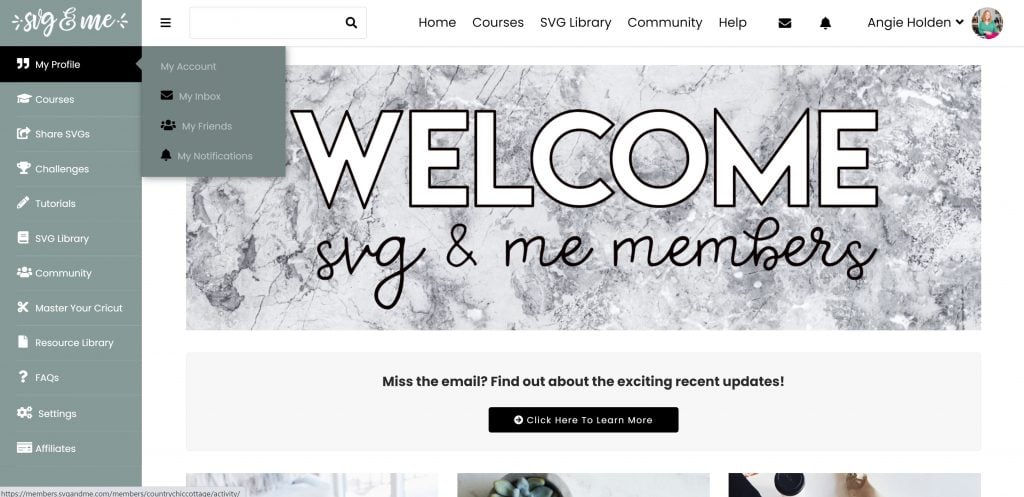
Inkscape SVG Course
The course is called ” How to Create SVGs Using Inkscape and when you enter the course, you will see a list of lessons. You can also print a workbook to accompany the course if you like that sort of written instruction, or just a place to take notes. The Inkscape course consists of 45 lessons, all video-based. I love that the course starts literally at the beginning with installing Inkscape.
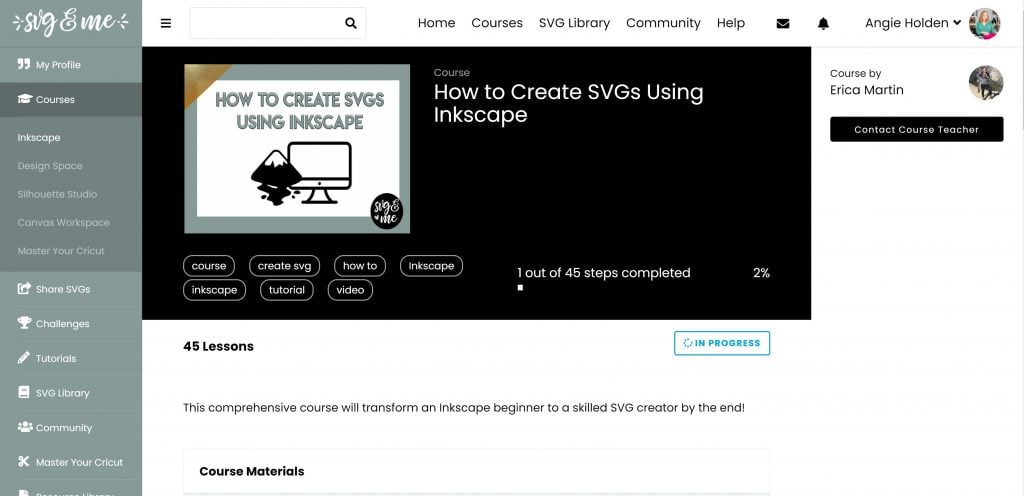
Once you click a lesson, you will find a video and, sometimes, a quiz. You can mark the lessons complete as you go, but you can go back at any time to a past lesson to review something you may have missed.
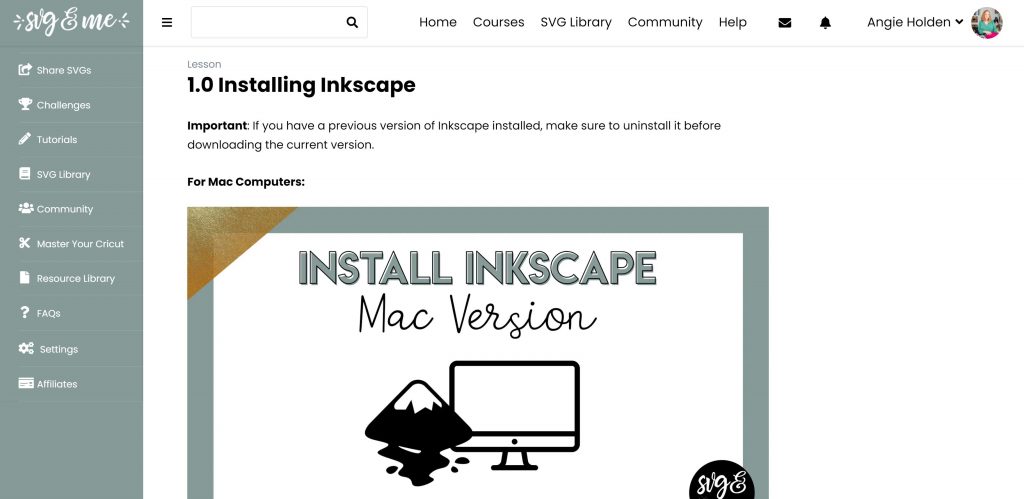
You can see a few lessons in the screenshot below, but it covers everything you need to know about creating SVG files in Inkscape.
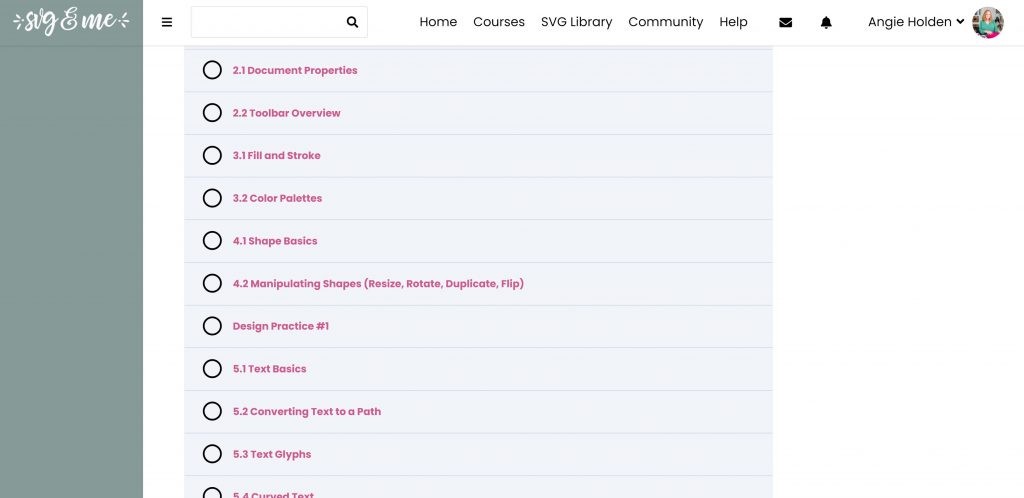
At the end, you will even cover export options so you can convert your files appropriately for use with a Cricut, Silhouette, Brother, or other cutting machines.
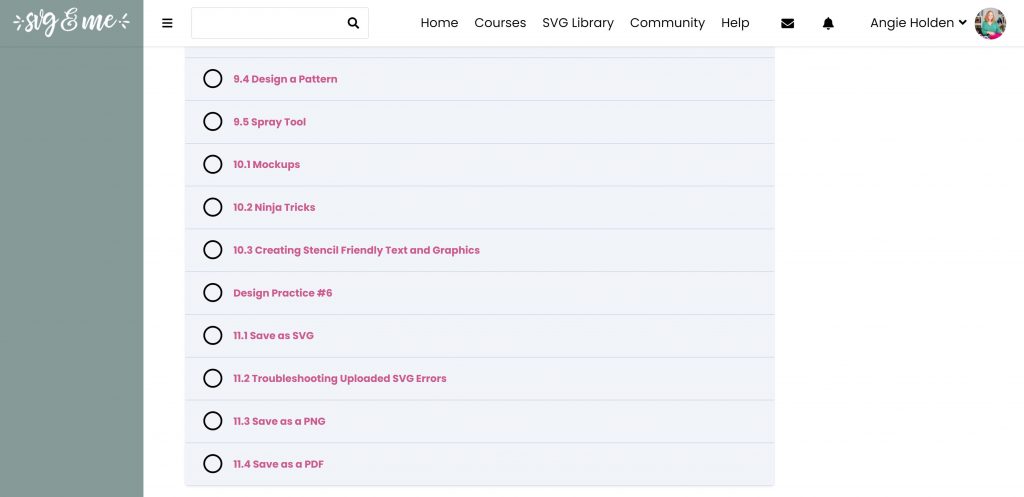
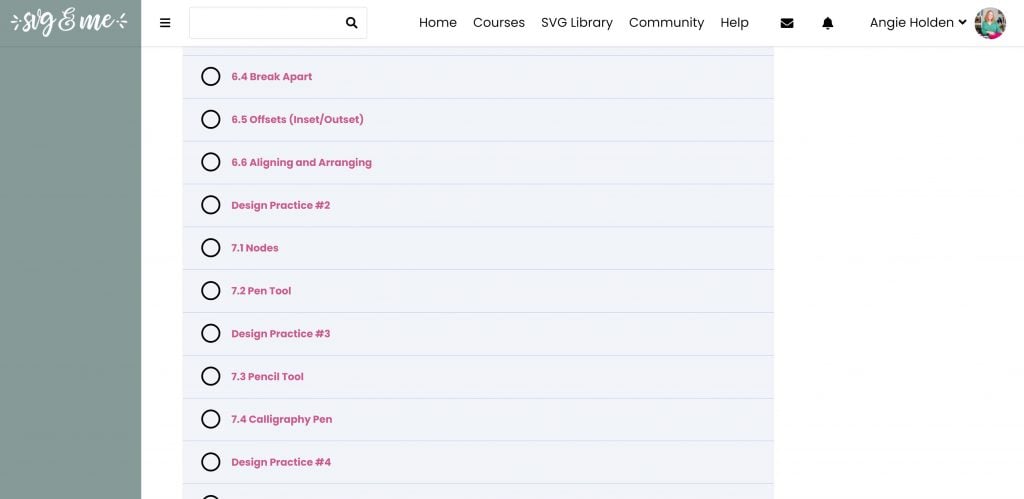
I do love how the lessons are broken up with practice sessions. This is where you can put what you learned into practice. When you complete that practice session, you're encouraged to post what you've designed in Inkscape to the Facebook group. And that helps you get feedback, ask questions, or even get help if you need it. So even if I am just on design practice one and having trouble, I can head to the Facebook group to get feedback and help if I need it.
My Impressions of the Course
I think it's a super-comprehensive course for anyone who wants to make SVG files. While you're learning to make the SVG files, you have access to the SVG library. So you get all those pre-made commercial licenses for SVG files. That means you can start using those right away. I feel like everything you need to know about making your own SVG files is included, and the Facebook group is invaluable. You can only get access to that through the course membership.
Then, if you have questions about Cricut Design Space, Silhouette Studio, or Brother software, all those courses are included with your membership. I think it's so important to understand all of those programs if you're going to sell files. You're better able to answer questions when people ask you about how to use the files you've created. I love that those are included with the Inkscape course, so you can learn all about those before you dive in.
My favorite part, hands down, is that you have the lessons to apply what you've learned. So you have those projects to make, post to the Facebook group, get feedback, and ask questions periodically throughout the course. This way, you don't get all the way to the end of the course and then start trying to do the challenges. In a way, the course challenges let you apply what you learned right in Inkscape.
Why is this better than YouTube?
The reasons I like a course for things like making Inkscape SVG files are as follows:
- The course is laid out to walk you through the process. As I said, it started with downloading and installing Inkscape on your computer, then moved on to the next topic, and so on. So it's all laid out in a way that makes sense, with each lesson building on the previous one.
- The challenges that are included to apply what you learned. You would not get that with a YouTube video.
- The Facebook group to post those designs, get feedback, and ask questions.
- The office hours to ask Erica questions are also invaluable.
- Buying a course makes you accountable. What generally happens is you start watching YouTube videos, then life happens, and you stop. But if I've paid for a course, I feel obligated to complete that course. Like, there's something in my mind that puts an obligation on it. And I will actually fulfill that obligation if I've paid money or have something invested in it.
The bottom line is, I did really enjoy the SVG and Me course. I think it's an amazing way to learn Inkscape and design your own SVG files.
How do you enroll?
With one membership fee, you get access to everything I discussed above. There are no hidden monthly fees. You pay one time for a lifetime of access. Currently, membership is $197, or you can pay in monthly installments. You can click here to read more and enroll! There is a seven-day satisfaction guarantee. Once you enroll, if you get in there and find it's not what you were looking for, you have 7 days to ask for a refund.
I hope this helps you understand a bit more about Inkscape SVG files. If you are interested in using this program to make your own SVGs, I highly recommend taking the course so you learn everything there is to know. You can do this!











I am on the fence about SVG and Me debating if it is a scam or not since it was a link on my facebook page. I did enjoy her free lessons, did you feel the site seemed like a scam?
It is definitely NOT a scam. I know her personally and it is completely legit!
Thank you so much!! 😄