


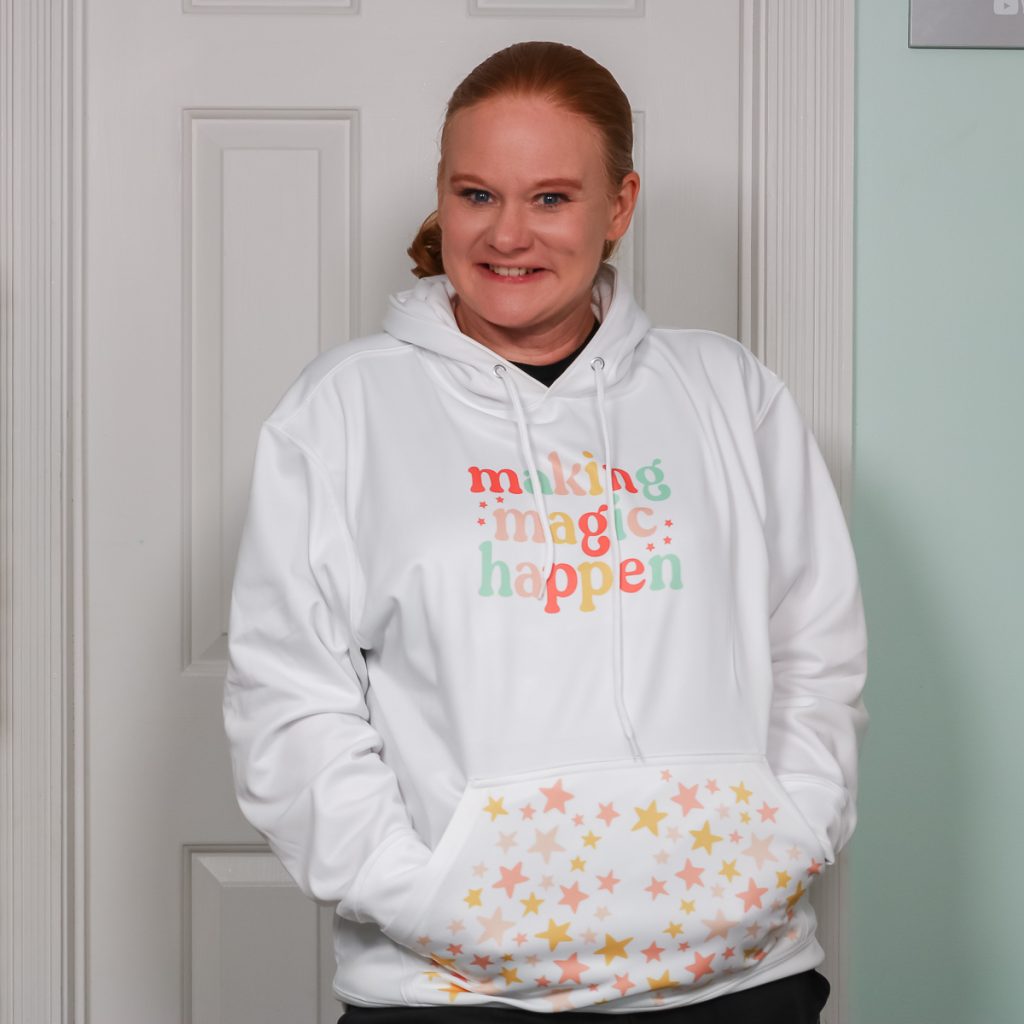
Have you ever personalized a hoodie? Today, we're going to make sublimation hoodies that are perfect for fall. We're going to add a design to the front and to the pocket! If you love your sublimation printer, this is one project that you will want to add to your “must-make” list.
Need more information about sublimation? Check out my Beginner's Guide here.
Sublimation Hoodies Video Tutorial
To watch me make this sublimation hoodie from start to finish, click play on the video below:
How To Make Sublimation Hoodies
To make sublimation hoodies, you'll need a hoodie with a high polyester content in a light color. My hoodie is a sublimation hoodie from Amazon, but you can use any light-colored hoodie with a high polyester content. I recommend at least 65% polyester.
You'll also need a sublimation print. This is an image printed with sublimation ink on sublimation paper using a sublimation printer. When customizing hoodies, I really like adding images to the front pocket along with the chest. I think it really adds something extra to the hoodie.
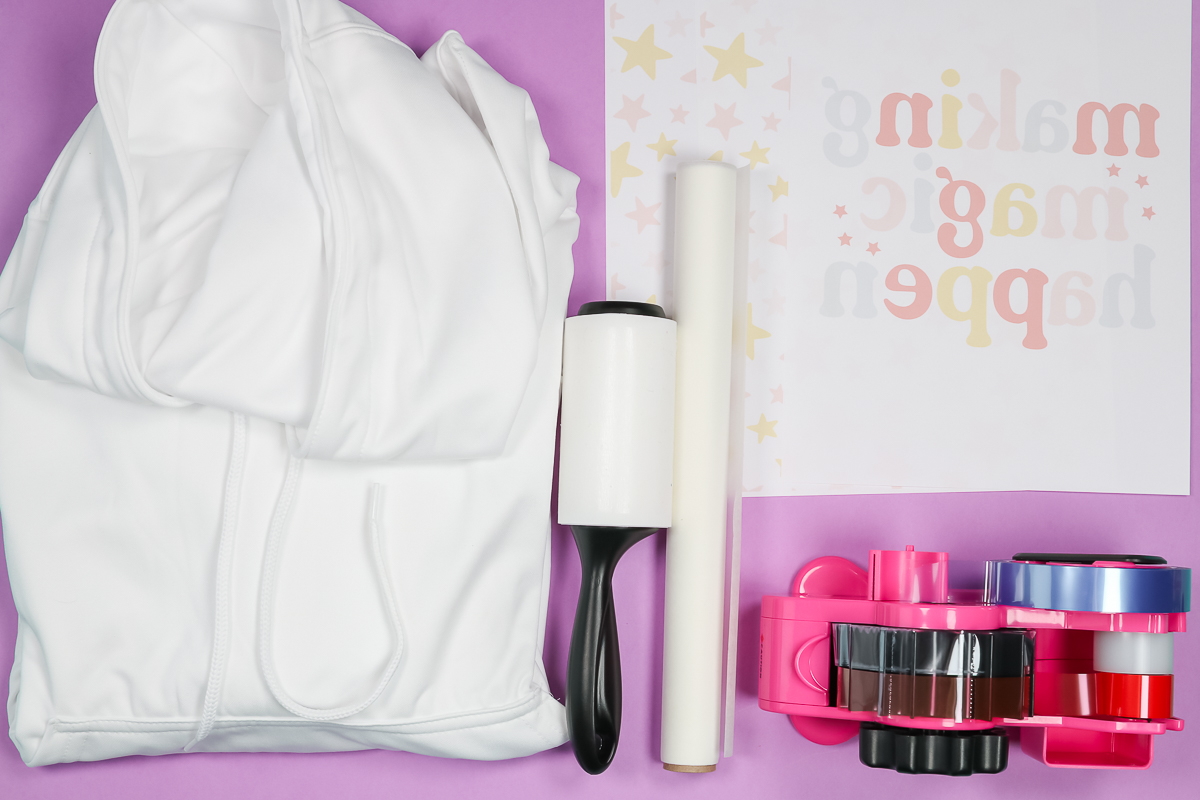
Supplies Needed To Make Sublimation Hoodies
- Sublimation Printer
- Sublimation Ink
- Sublimation Paper
- Cricut AutoPress (or another large heat press or even the Cricut EasyPress)
- Lint Roller
- Heat-Resistant Tape
- Artesprix Protective Paper
- Heat-resistant Gloves
- Tape Dispenser
- Foam
- EasyPress Mini
Blanks used:
Designs used:
Adding Sublimation Designs to Sublimation Hoodies
To make my hoodie, I am going to use three different sublimation prints. The first print is just a regular sublimation print for the chest area. Because the size I wanted fits on one sheet of paper, I can do that area in a single press.
For the pocket, I am using a coordinating print I printed twice because the hoodie pocket is too large for one print to cover it.
How To Join Multiple Sublimation Prints
As you may have noticed, the background of my printed pieces is white. I'm not really great at joining sublimation prints when the background is a color. When I'm combining pieces, I choose to stick with a white background for now. I think this is a great way to get started with piecing together sublimation prints.
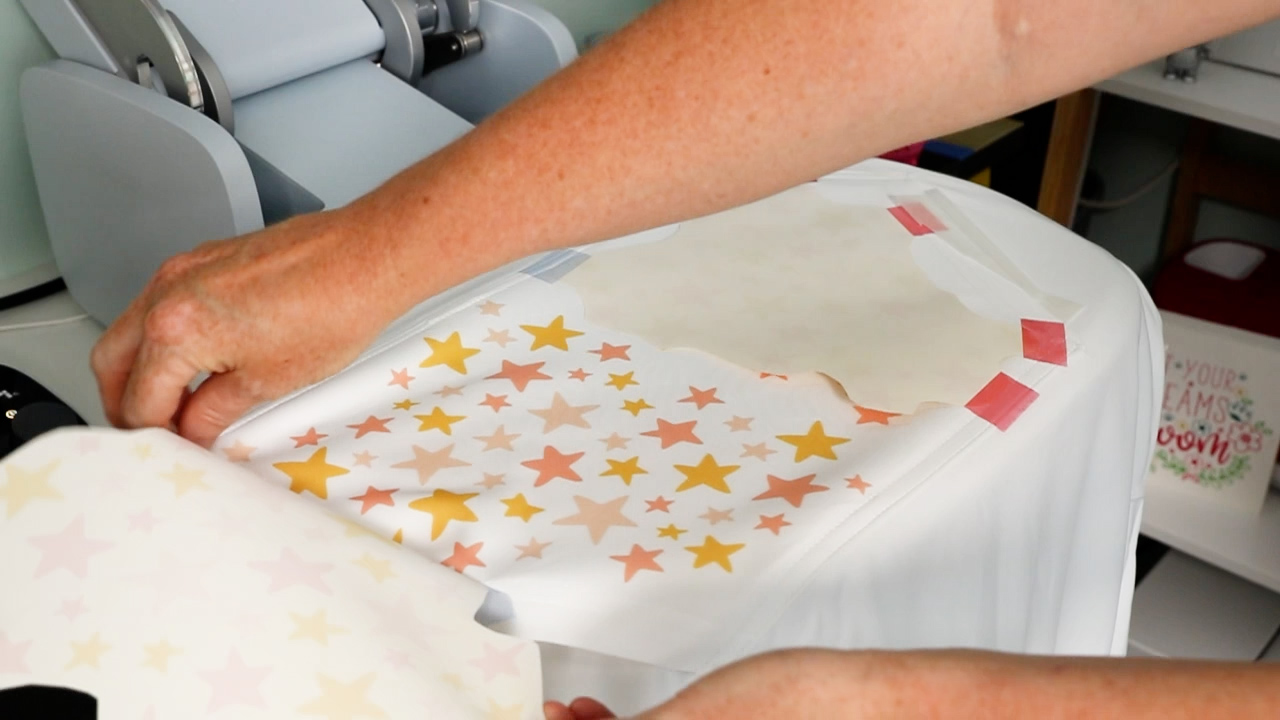
For my pocket design, I want the entire pocket covered, and I want all my stars to be complete, not cut off at the edges. To do this, I'm trimming my print so all the stars are full and will fit within the seams of my hoodie pocket. I did this on all four sides of my print.
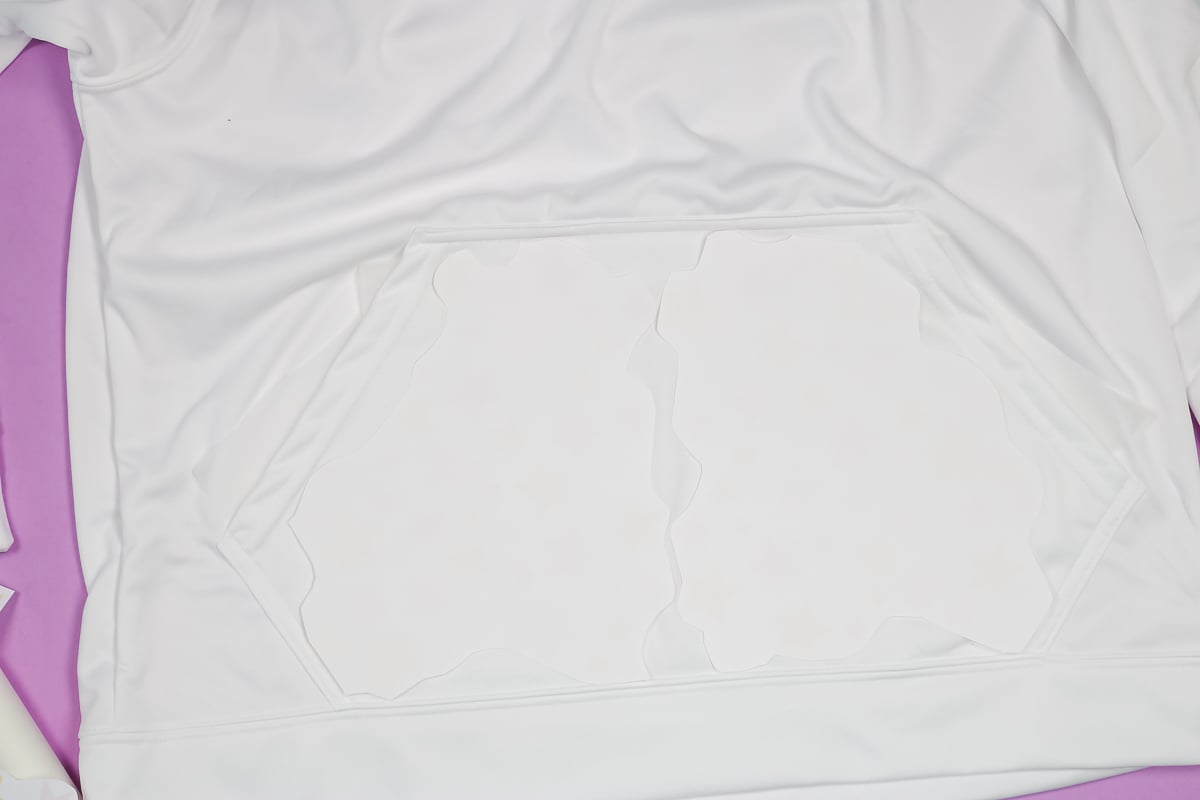
I'm combining two 8.5″x 11″ prints to cover my pocket. To ensure your prints fit within the seams of the hoodie pocket, there are a couple of options. Lay the print on top of the pocket so you can see or feel the pocket's seams. You can use your scissors to cut a small slit in the print, then use it as a guide to trim around the print. You can also bend the print back along the seams, then follow that bend to cut away the excess.
Whichever way you decide to trim your print, make sure your entire image fits within the seams of your pocket. The way I'm laying out my prints, I will likely leave some area in the middle white. For my hoodie, I am happy with that finished look. If you don't want white spots, you can cut out extra stars and tape those to the middle blank areas.
Pressing Sublimation Prints To Hoodie
To add the sublimation prints to my sublimation hoodie, I am using my Cricut AutoPress. The AutoPress is the largest heat source I have.
Start by adding protective paper to the hoodie pocket to prevent sublimation ink from bleeding through. You'll also need a piece of protective paper inside the shirt when we press the chest area.
Preheat the entire pocket and the chest area where the sublimation prints will be placed to 385 degrees for about 10 seconds. For my sublimation hoodie pocket, I cannot press the entire image at once, so I will press the images individually.
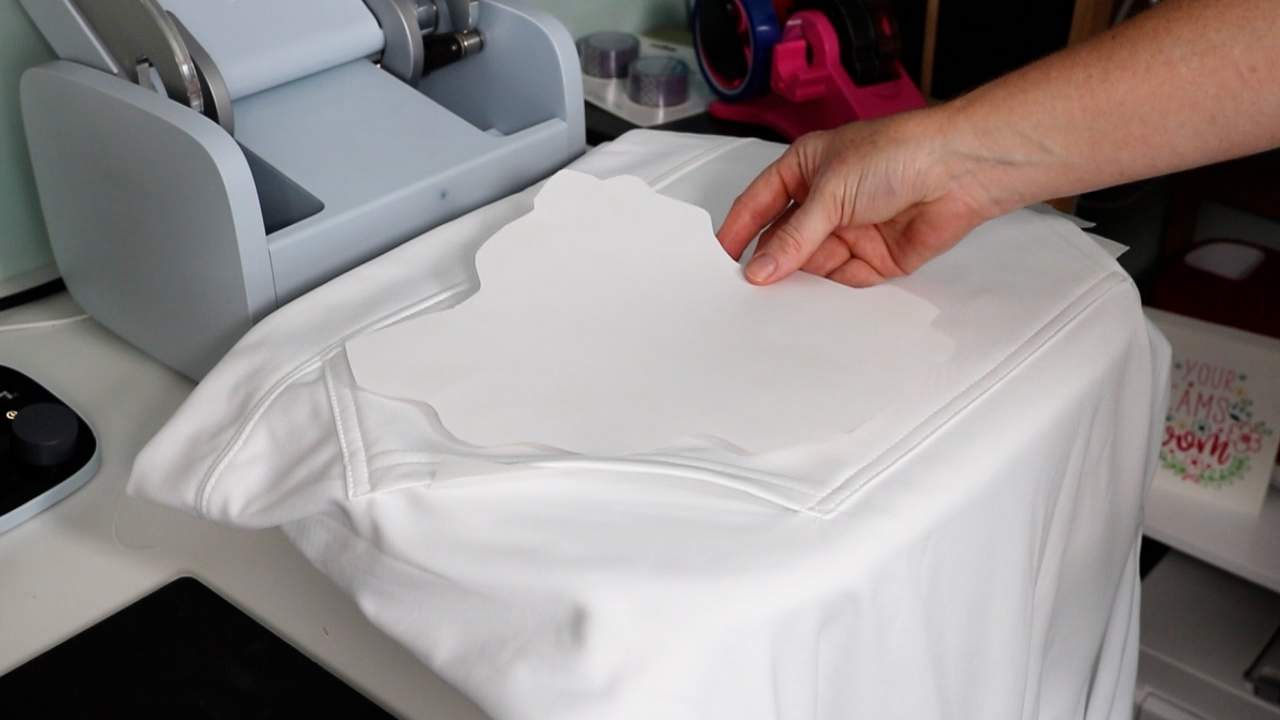
After preheating, lint-roll the entire area thoroughly, then add your sublimation prints. Use heat tape to hold the print in place. I like to tape only on the seams if I can. This means even if the tape leaves marks, they will only appear at the seam and won't be noticeable.
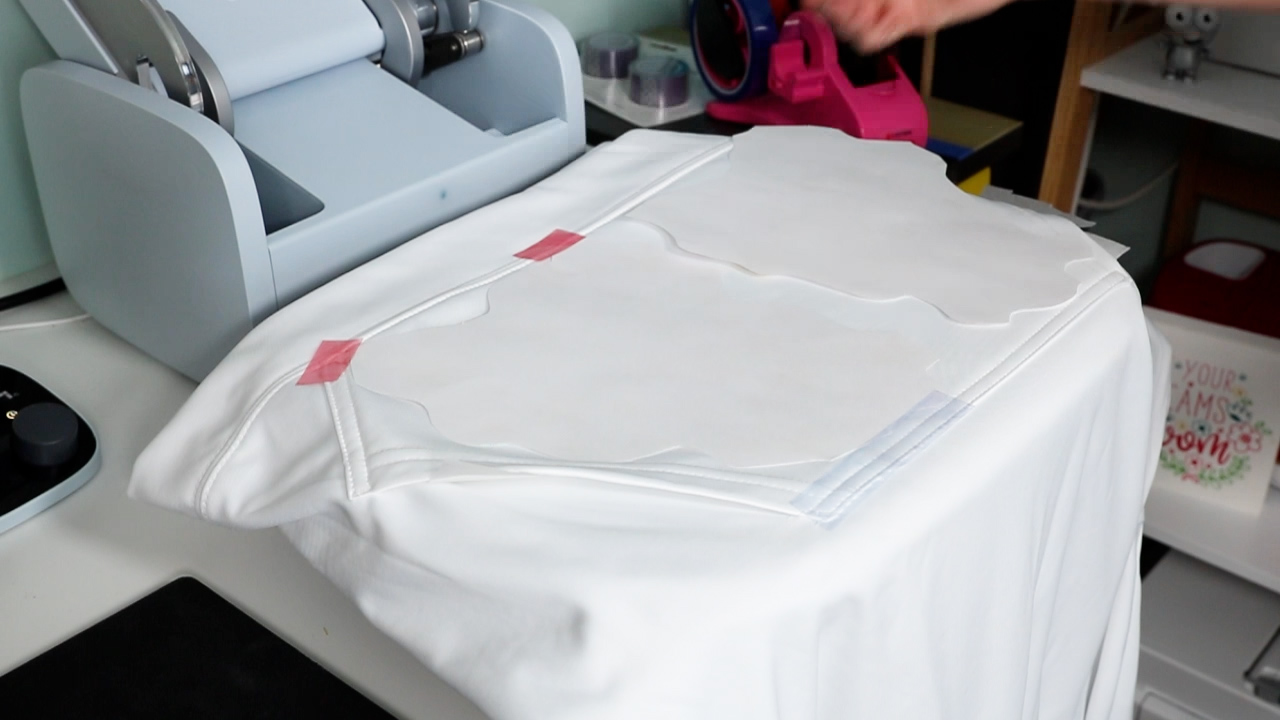
Once everything is taped into place, add protective paper and close the AutoPress. Press at 385 degrees for 55 seconds. For the pocket portion of the sweatshirt, I like to place the hoodie in the AutoPress upside down so most of the bulk hangs out the front.
Once the first 55-second press is done, carefully move the pocket over and press the second press. After the second press is complete, remove the protective paper and the sublimation prints.
Adding Sublimation Print To The Chest Of Sublimation Hoodies
To press the design onto the chest of my sublimation hoodie, I am going to flip the hoodie and move the hood down into the AutoPress. I don't want the hood's seams or metal pieces inside the heat press.
Follow the same steps: prepress, lint-roll, and add a sublimation print to the hoodie. To help minimize press marks, I will add some foam inside the hoodie. I placed the foam inside the hoodie, then added a piece of protective paper on top to prevent ink transfer.
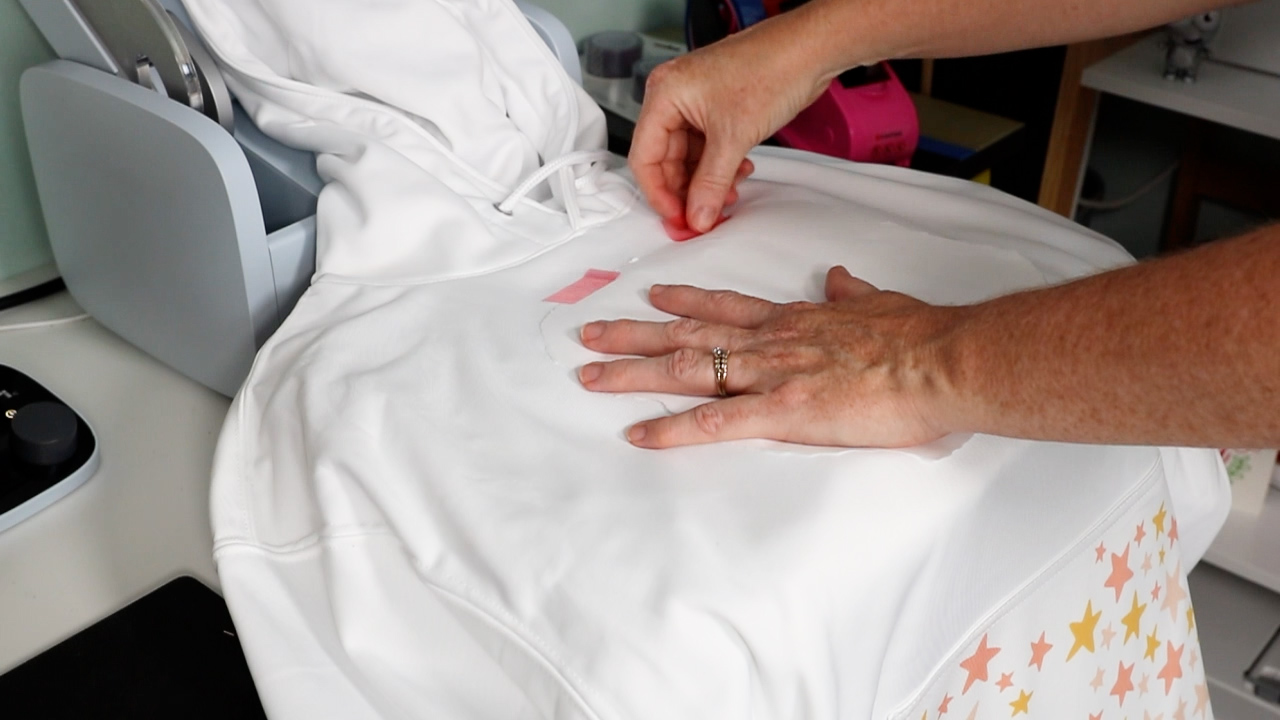
I like to fold my sublimation print in half to get an approximate centerline that I can align with the center of the hoodie. Next, I line it up where I want it, ensuring it's straight and that the foam is under the print all the way around.
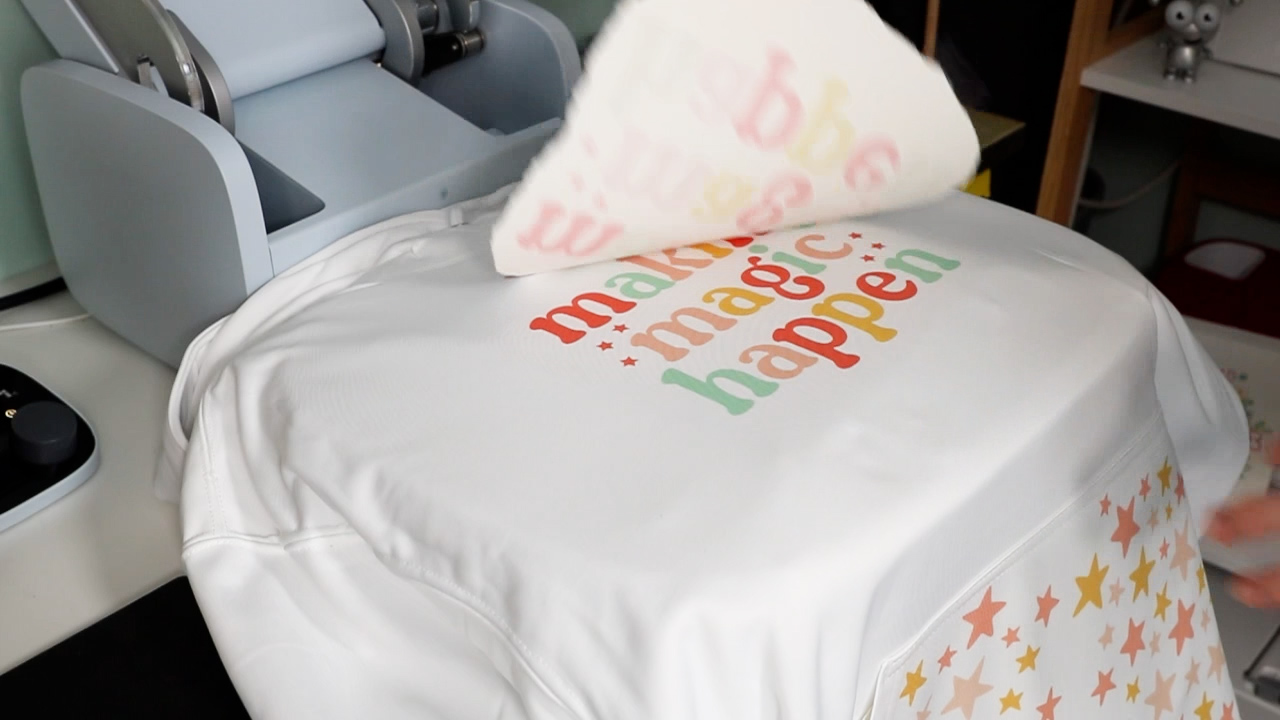
Place protective paper over the entire image, then press the hoodie for 55 seconds at 385 degrees. When the AutoPress pops up, I can remove the protective paper and the sublimation print, and my sublimation hoodie is complete.
How To Remove Press Marks
Now that my sublimation hoodie is complete, I can remove it from the AutoPress and check for any press marks. Press marks can show up where the sublimation print sits or on the edges of the press itself.
To remove press marks, I heat my EasyPress Mini to the third setting and run it lightly over the marks. As long as you don't hold the press in one spot for too long, you won't reactivate the sublimation.
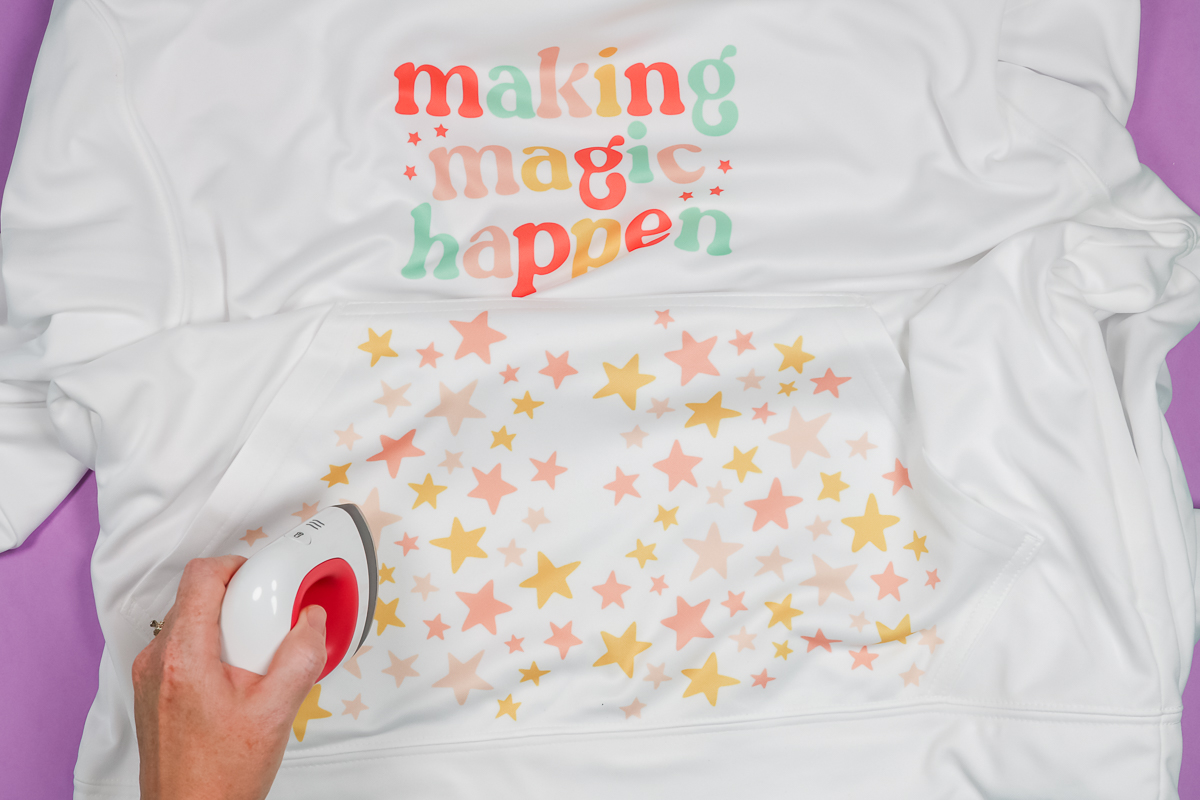
Go around the whole shirt and knock out all those press marks. I like to take the time to look at the shirt from different angles to check for any press marks and press them out. This is one way to remove press marks, and it worked really well on this polyester hoodie. Sublimation paper itself can leave quite a few press marks. It can also depend on your hoodie, so take a moment to check.
Final Thoughts on Sublimation Hoodies
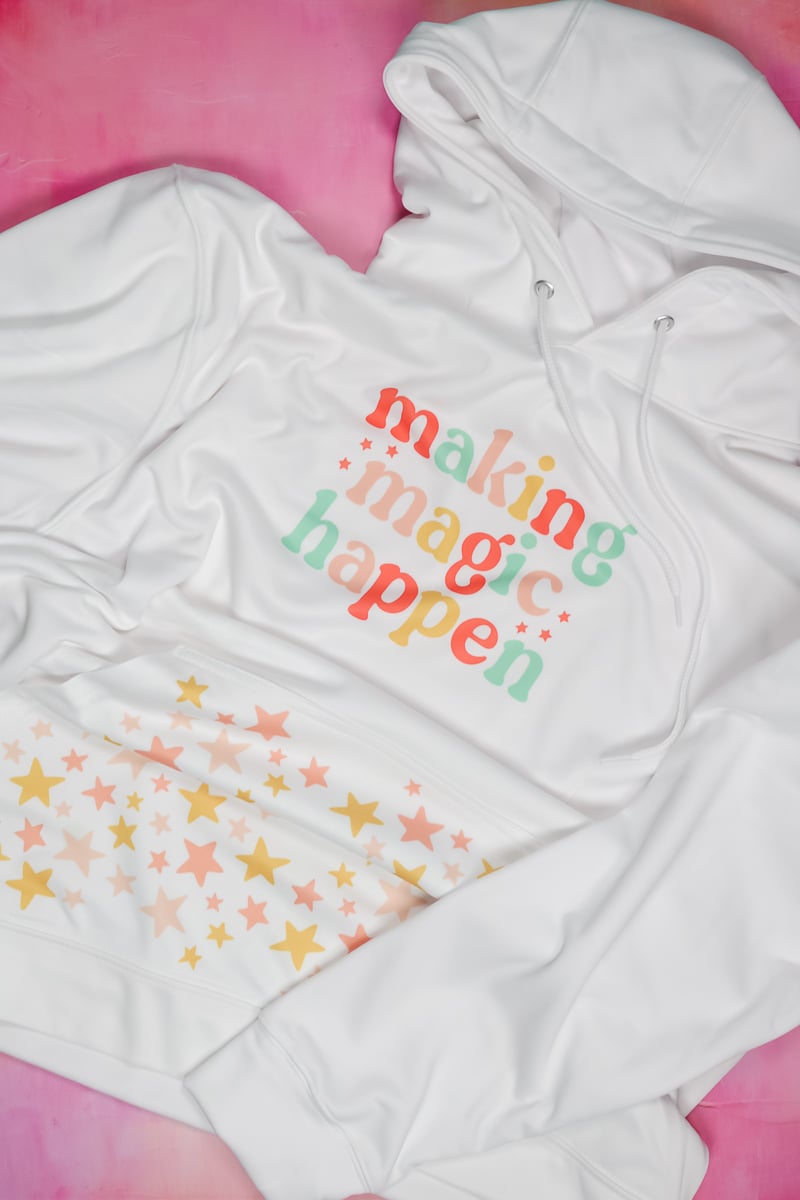
I am thrilled with the way my sublimation hoodie turned out. I love the pocket with the stars on it. You can see the white spaces in the middle that I mentioned above. I think that is the only thing I might change about how it turned out. To make your own sublimation hoodie, you want an image for the chest and a coordinating print for the pocket.
Are you ready to make all the sublimation hoodies for fall? Even if you don't have a press as large as the AutoPress, you can still make sublimation hoodies. I was able to press the pocket in two presses without any problem. I think you could press the pocket area up to 3 times if needed to get the print all the way across the hoodie pocket.
Don't be afraid of this project, even if you don't have a large heat press. Make sure you overlap and press the entire area evenly if you need to press multiple times.
I can't wait to see your sublimation hoodies! You're going to love customizing your own hoodies with any designs you want. If you have any questions, leave them in the comments, and I'll answer them. Have a great day and happy crafting!
FAQs About Sublimation Hoodies
If you have questions about making sublimation hoodies, I have answers! Please leave your question in the comments if you don’t see it answered below.
Where Do You Get Your 100% Polyester Hoodies?
I got my white hoodies from Amazon! You can see the specific one I used for this project by clicking here!
Can You Use A Hoodie That Is 50/50 Poly Cotton?
You can, but it will have a rustic appearance and look faded.
Can I Use These Hoodies With Cricut Infusible Ink With My Heat Press?
Yes, of course!
Do You Think That If You Went Back Now To Add The “Middle Stars” That It Would Wreck The Existing Design?
You can definitely try. You always run the risk of another press lightning it!
Is There A Place Where You Can Order Sublimation Prints Already Printed Off?
Yep. I used to buy them on Etsy all the time. Or you can use Infusible Ink.
5 More Sublimation Crafts & Tips
Did you love learning about sublimation hoodies and are looking for more sublimation crafts and tips? Then check out the blog posts below!
- Easy White Sublimation Hack Using HTV
- Sublimation Prints are Dull? Here’s How to Fix Them!
- How to Use Sublimation Cotton Spray the Right Way
- Sublimation Mistakes I Made So You Don’t Have To
- Can You Sublimate on Recycled Polyester?











Angie, can sublimation be do on 65% polyester 35 cotton hoodies?
Yes, you’ll want it to be white or a light color. 65% is the minimum polyester count I recommend to get a decent sublimation transfer. It will not be as vibrant as a higher polyester count would be.