

With so many options available, it might be hard to choose just one Cricut EasyPress to purchase. I'm comparing four popular models to help you pick the best one for your projects with this Cricut EasyPress Guide.
With the Cricut EasyPress family now comprising four different machines, it can be challenging to determine which one is best suited to your needs.
We're tackling the Cricut EasyPress family by covering their pros and cons and comparing them to each other to help you determine which one you should buy (or as for as a gift!).
From the EasyPress Mini to the original and everything in between, which should you add to your crafting arsenal? Read on to find out!
Video Comparing Cricut EasyPress Models
I put everything you need to know about each Cricut EasyPress model in an easy-to-follow video. You can watch that below.
If you're wondering how the EasyPress compares to other methods for adding heat transfer vinyl to surfaces, such as an iron or traditional heat press, I've got the answers for you, too! You can see my comparison with an iron here and with a traditional heat press here.
Can't watch the video or want even more information? Keep reading – I spell it all out for you!
Cricut EasyPress Comparison
First, let's compare the different versions of the Cricut EasyPress in terms of features and benefits.
As you read through the information on these models, keep in mind that all of these sizes can be used with heat transfer vinyl, Infusible Ink, and sublimation.
Additionally, if control layouts are important to you, please note that every size except the mini has the same controls for time and temperature.
Not sure which heat press is for you? Heat Press Roadmap has your answer! This extensive course is designed to guide you on your journey to deciding on the best heat press for your needs, space, and budget.
Join Angie Holden and Cori George as they explore 17 heat presses in 27 videos. Get the details and sign up for Heat Press Roadmap here!
EasyPress Models
Since the launch of the Original EasyPress, Cricut has released the Cricut EasyPress 2 and Cricut EasyPress 3. Cricut also offers a helpful guide to take the guesswork out of your projects.
The Cricut line of EasyPresses comes in various sizes and colors, but what are the actual differences between them? Read on to find out more.
Original EasyPress
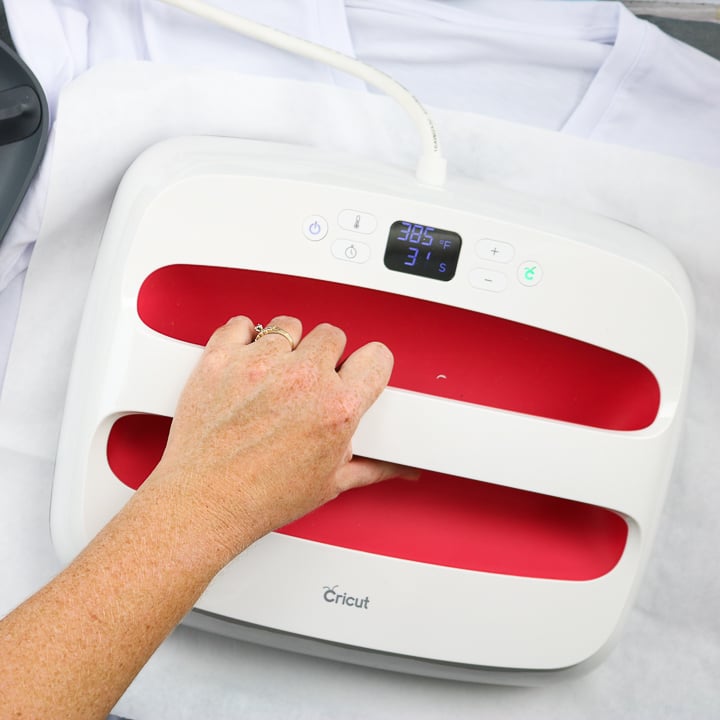
The original EasyPress is 9″x 9″. In the box, you will find the EasyPress itself, along with a base to place it on when in use, ensuring the heat doesn't damage your work surface.
This is the original size of the EasyPress and is still my favorite. I think you'll see why after you read the pros and cons of this size. The original Cricut EasyPress features temperature control up to 360°F (182 °C) and is currently available in two colors: sky and wisteria.
Pros
- Perfect size for most crafts.
- It can be used on larger heat transfer vinyl projects by pressing multiple times.
- Not too heavy.
- Easy size to store.
Cons
- Larger Infusible Ink or sublimation projects may not be possible.
- Pressing twice or three times for XL (or larger) shirts can be annoying.
Cricut EasyPress 2
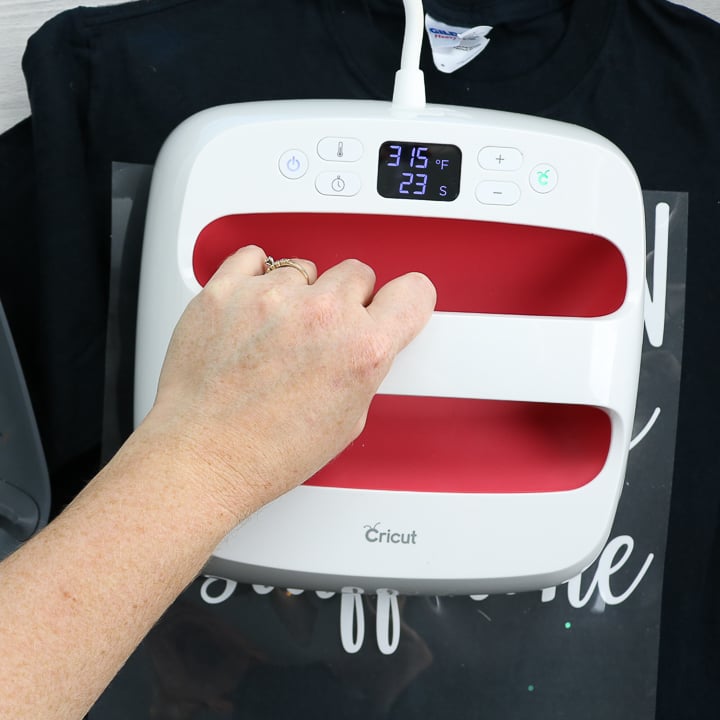
Just like the original EasyPress, the EasyPress 2 comes in a 9×9 size, but it is also available in a smaller 6×7 size and a larger 12×10 size. It also comes with a base to protect your workspace.
While the 9×9 above is my favorite, I also reach for the 6×7 model all the time. It's very lightweight and perfect for working on small projects. The EasyPress 2 can reach hotter temperatures than the original EasyPress, reaching up to 400°F.
If you want to color-coordinate your EasyPress 2 with your Cricut or craft space, it is currently available in four different colors: raspberry, mint, rose, and vanilla pearl. Let's break down the pros and cons of this smaller 6×7 size.
Pros
- A smaller size is great for small workspaces.
- The size is perfect for items like onesies and other small projects.
- If you need a lightweight EasyPress, this will be the best option.
Cons
- Large projects can be cumbersome because you need to do multiple presses.
- Limited size on Infusible Ink and sublimation projects.
Cricut EasyPress 3
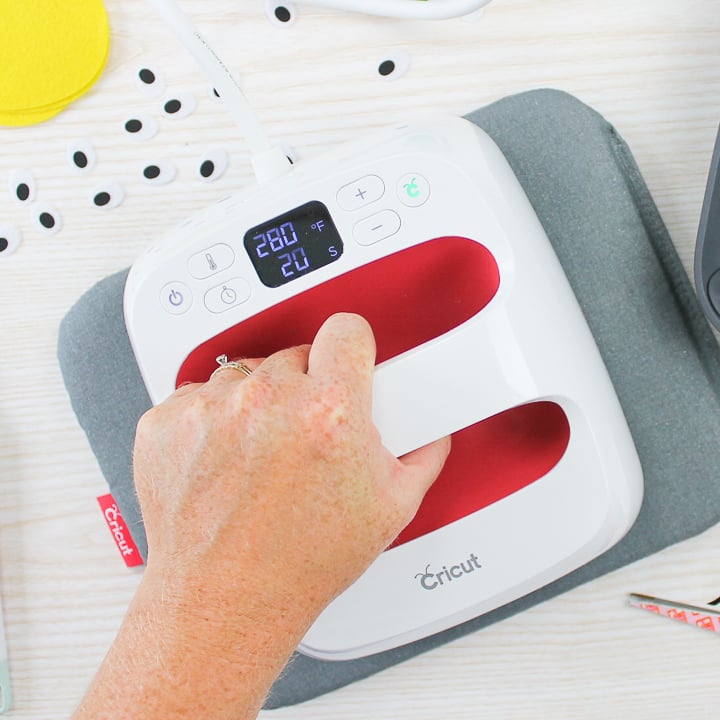
The Cricut EasyPress 3 is one of the newest EasyPress models from Cricut. They have elevated the EasyPress by including Bluetooth to connect to the Cricut Heat app – a convenient app that allows you to choose your transfer material, base material, and pressing surface, then tap to send time and temperature settings directly to the press.
The EasyPress 3 is available in both 9×9 and 12×10 sizes, and is only offered in one color: mint. The 12×10 is the largest model in the EasyPress family, and it comes with both the press and a base.
This size is truly huge, which is perfect for those who undertake numerous large projects. Continue reading for a comprehensive overview of the pros and cons.
Pros
- Makes large projects go so much faster.
- Excellent for large sublimation or Infusible Ink projects.
Cons
- Super heavy, so it may not be ideal for those with hand or wrist issues.
- Large size is harder to store.
- Draws a lot of power, so needs its own outlet with no extension cord.
Cricut EasyPress Mini
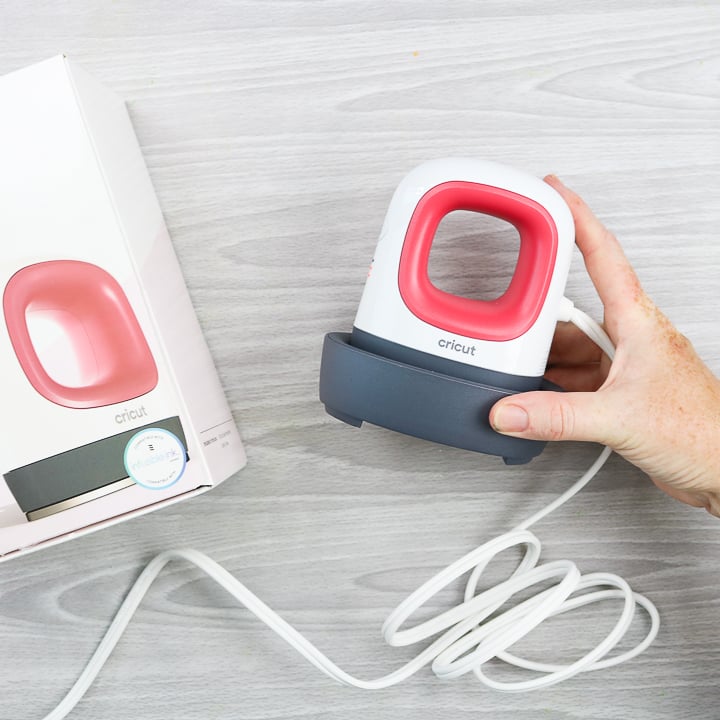
This is the smallest member of the EasyPress family, and you may be surprised by the wide range of uses it offers. This versatile small heat source features a base for placement when not in use and is available in two colors: raspberry and Zen blue.
Check out the pros and cons of the EasyPress mini below, and you can also learn even more by seeing me use the EasyPress mini in action.
Pros
- It's the only way to make all those odd-sized and shaped projects, like hats, shoes, and many more.
- Infusible Ink and sublimation are compatible.
- The super small size makes it easy to use and store.
- It can double as a mini iron for sewing.
- Stocking size for those shopping for gift ideas.
Cons
- Not really practical for large projects, as it would take way too long to press those.
- Due to its limited use, it may not be used as frequently as the other Cricut Easy Press sizes.
- No timer, so you will need to time yourself.
- There are only three heat settings, so you can't set a specific temperature.
Which Cricut EasyPress is Best?
Now that you know the pros and cons of each model, which Cricut EasyPress is right for you? The answer is…it depends!
Basically, it depends on what type of crafter you are. And, if you create a wide variety of crafts, as I do, you may want more than one model.
Here are my recommendations for each size:
- 9×9 Cricut EasyPress – This is the one I generally recommend for every crafter. It is a great middle-of-the-road size and perfect for most projects. If you are a general crafter and can only get one model, this is the one.
- 6×7 Cricut EasyPress – If you frequently create small projects and already own the 9×9, you may want to consider the smaller 6×7 size, as it will make those projects significantly easier.
- 12×10 Cricut EasyPress – I only recommend this one for those who frequently work on large projects. If you primarily work with XL (or larger) shirts, this is the EasyPress for you.
- EasyPress Mini – This model is specifically designed for the crafter who loves to experiment and push the limits. If you want to add iron-on transfers to all kinds of surfaces, including rounded ones, this one should be on your wish list.
I hope this Cricut EasyPress guide helps you to narrow down your choices! Note that there are numerous other scenarios that could apply here, and you may find that you don't fit into just one model.
If you're still having trouble deciding which Cricut EasyPress is right for you, please leave a comment below and I'll do my best to help! Please specify the type of crafter you are and the projects you'd like to create with your EasyPress, so I can help you narrow down your choices.
EasyPress Accessories Worth Considering
EasyPress Mat
If you have decided which Cricut EasyPress you want to add to your crafting “tool box”, I do want to make one suggestion.
Be sure to add an EasyPress mat to your wishlist. I have tried the folded-up towel under my projects, and it just doesn't work all that well. The Easy Press mat is 100% worth the investment.
I would recommend the 12×12 mat with any of the Easy Presses except the 12×10. For the largest EasyPress, definitely opt for the larger 20×16 mat.
Cricut Hat Press
If you make a lot of hats, the Cricut Hat Press may come in handy. Depending on the type of design and how many hats you make, you may find it worth it to invest in the Cricut Hat Press.
Cricut Mug Press
Sometimes a flat heat source just won't work. You can try using the EasyPress Mini, but even that can be challenging on a curved surface. Here comes the Cricut Mug Press to the rescue! There is so much to know about the Cricut Mug Press. Head over to this post for all the details.
Where To Buy The Cricut EasyPress
Now that you've read through our Cricut EasyPress guide and know which press you want, where can you find one to buy? The great news is that you can get them just about anywhere! From craft stores to Amazon to the Cricut website, comparison shop for a better deal.
I would recommend waiting for a deal if you want to get one of these for yourself or as a gift for someone else. You can occasionally find deals and bundles that make the wait worthwhile, so plan ahead if you want to save a little money on your purchase.
If you'd like to shop now, I've included some links below for your convenience.
Projects To Make With Your EasyPress
I hope y'all enjoy your new toy as much as I enjoy all of mine! If you're looking for a little inspiration for your first project, I highly recommend these ideas!
- How to Use Cricut Iron-On Vinyl with the EasyPress
- Magnetic Fishing Game with the Cricut EasyPress 2
- T Shirt Vinyl: Using the Cricut EasyPress To Make Shirts
- DIY Bean Bag Toss with the Cricut Explore Air 2
- Distressed Infusible Ink Shirt How-To Tutorial
- How to Use Heat Transfer Vinyl (or Iron-on Vinyl)
- Make Your Own Koozie with a Cricut
- Custom Lunch Box with Your Cricut Machine
- DIY Cork Board with Cricut Iron-on
- Iron on Shoes with the EasyPress Mini
Once you figure out which Cricut EasyPress is right for you, the possibilities are endless!











Hi, I’m going to get the Cricut air explore air 2 for Christmas and want to get a Cricut press, I want to make my son some shirts he wears XL could I do it with the 9×9?
Yep. You can just press more than once if you need to.
What are your thoughts on the easy press 3. My thoughts. If I am going to spend the money, I should just get the 3 rather than the 2 and get the latest/greatest.
Lastly, I want to invest in an easy press for my personal use using dtf, sublimation prints or screen prints and make a shirt here and there for myself. I wear an xl so based on your video the 9×9 should be sufficient?
Thank you
I wouldn’t recommend the EasyPress 3 for DTF or screen prints. You need a lot of pressure for both of those materials.