

Have you heard of the Cricut Maker line of machines? If not, do I have a treat for you today! Here is the ultimate Cricut Maker comparison between the original Cricut Maker, Maker 3, and Maker 4. See reviews, tutorials, comparisons, tips, tricks, and so much more! There is so much you can do with this machine, and I want this to be your one-stop shop for all things Maker. I will keep this post updated periodically, so be sure to check back here for new ideas. Now let's get started!
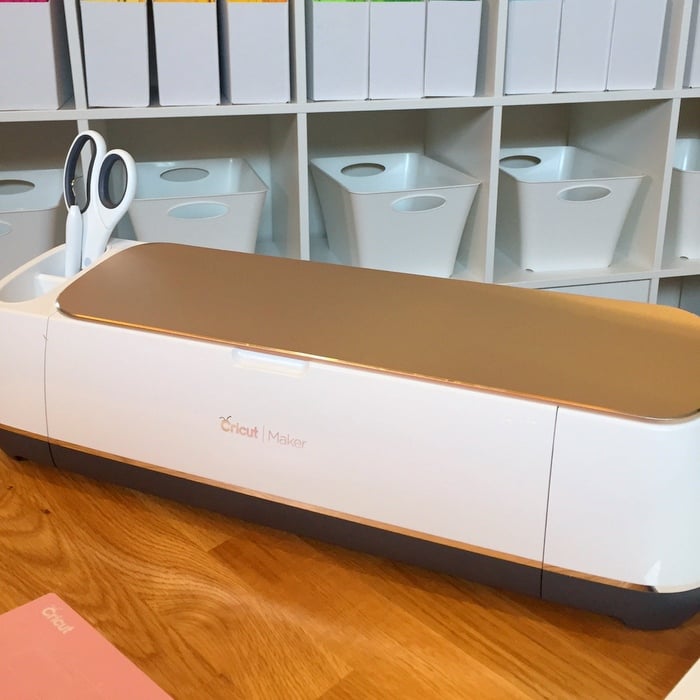
What is the Cricut Maker?
First, what is the Cricut Maker? As of this writing, the Cricut Maker, Maker 3, and Maker 4 are the most versatile machines in the Cricut family of cutting machines. You get all of the features of the Explore Air lineup, along with the ability to use advanced Rotary and Knife blades that expand your crafting significantly. This machine cuts hundreds of materials, from the most delicate fabric and paper to matboard and leather. With a significant increase in cutting force, this heavy-duty machine is easy to use at home. You can read a list of the features here. You can also find a post all about the Cricut Maker and the functions and features here.
NEW TO CRICUT? Click here to download our free Beginner's Guide to Cricut Design Space.
What other tools can I use with it?
There are a few accessories you can purchase that are specifically for the Maker, making your crafting even easier. Click each one to see details on what it does, including trials and how to use the tools on various materials.
Do I really need a new cutting machine?
If you already have a Cricut, Silhouette, or another brand of cutting machine, you may be wondering: Do I really need a new Cricut Maker? Take a look at the Cricut Maker comparison posts below to help answer those questions!
- Which machine is right for you?
- Compared with all Explore Machines
- Differences Between All the Cricut Machines
- Is It Time To Upgrade Your Cricut?
- 10 Reasons You Will Love the Cricut Maker
- Why Every Crafter Needs the Maker
- Cricut Maker FAQs
- 7 Reasons You Need a Cricut Maker in Your Life
- Everything You Ever Wanted to Know About the Cricut Maker
Cricut Maker or Maker 3?
Since the original Cricut Maker was released, the Maker 3 and 4 are now available. The Cricut Maker 3 & 4 can do everything the original Maker does and more!
With the release of the new machines, Cricut rolled out a line of Smart Materials compatible with the Explore Air 3 & 4 and Maker 3 & 4. This allows the Maker 3 & 4 to cut Smart Materials without a cutting mat. Not having a mat means you can cut longer pieces of these Smart Materials. The Maker 3 & 4 can cut up to 12 Feet of Smart Materials. There is also a roll holder available for purchase that holds the roll for longer cuts.
Do these machines really do what they claim?
Now, you may be ready to buy, or you may be on the fence. It sounds great, but how does it stand up to the test? Read the reviews below to see opinions on the Cricut Maker.
- Designer Trapped Cricut Maker Review
- Over the Big Moon Cricut Maker Review
- Polka Dot Chair Cricut Maker Review
- Printable Crush Cricut Maker Review
What can I make with this?
Sometimes seeing is believing. What exactly can you make with the Cricut Maker? There are just too many things to list! I do, however, have a list below of online tutorials for great projects. How many will you make once your machine arrives?
- Materials You Can Cut with Your Maker
- My Top 5 Cricut Maker Projects
- DIY Wood Coasters
- DIY Leather Notebook
- Cute Snowman
- Trick or Treat Bag
- Burlap Succulent Decor
- Halloween Bottle Labels
- Witch Legs Halloween Wreath
- Witch Legs Halloween Candy Idea
- Pumpkin Pillow
- Decorative Glass Jars
- Zipper Pouch Tutorial
- Simple Felt Banner
- Free Motion Quilting Practice Designs
- Iron-on Vinyl Harry Potter Shirt
- DIY Flair Pin Display
- Mini Messenger Bag
- Learn to Quilt with Your Cricut Maker
- Floss Fairy DIY
- Felt Gingerbread Ornament
- Key Ring Sewing Project
- Make Your Own Puzzle
- Cooking Conversion Chart
- Custom Mats for Frames
- Extra Large Hoop Wreath for Parties
- Superhero Shirts
- Coffee Sleeves
Any advice for beginners?
Beginners and experienced Cricut crafters alike can use the help of some tips and tricks for using a new piece of equipment. The list below includes posts I have found that will help you on your journey to creating amazing things with your Cricut Maker! Enjoy!
- How to Cut Craft Foam with a Cricut
- How to Make Stickers with a Cricut
- The Easiest Way to Use Up Your Scraps
- How to Engrave Aluminum with the Cricut Maker
- How to Cut Wood with the Cricut Maker
- The Best Way to Engrave Leather with the Cricut Maker
- How to Cut Metal with a Cricut
- How to Use Cricut Vinyl
- Can the Cricut Maker Cut Acrylic?
- How to Cut Fabric with a Cricut
- How to Cut Acetate with a Cricut
- 10 Things You Didn't Know the Cricut Maker Could Cut
- How to Make Earrings with a Cricut Machine
- How to Cut Faux Leather on a Cricut
- Can the Cricut Cut Leather?
- How to Make a Stencil with a Cricut
- Cutting Felt with a Cricut
You can also subscribe to our YouTube channel here to watch all our videos and get the latest releases as soon as they are available.
So where do I buy one?
Are you convinced and ready to purchase yours? Click the links below to shop around for your own! Be sure to look for online coupons to save on the machine. You can also sign up for Cricut Access to save when purchasing on the Cricut website. Learn more about how to do that here.
I hope this Cricut Maker comparison was helpful. If you purchase your own Cricut Maker, please share what you make with it! We would love to see your creativity. If you have any questions about the Maker that these posts did not answer, please ask them below. I will try to find you an answer! Happy creating!












Excited to get started
I like have a whole manual on the Ultimate cricket cricket maker How to get one for the maker
I don’t know of a manual just for the Cricut Maker.
I have signed up for the Manual for Cricut Designs Space and have not received and email or download?
It probably went to your spam. Did you use the myjoyfullife email address? I can check on it for you.
I want a cutting machine to make stencils. Which one would u suggest?
Either will work for this. You can see more about making stencils here: https://www.thecountrychiccottage.net/stencil-with-a-cricut/
I bought glitter vinyl and and its not cutting all.the way through. I change setting for the material and it still didnt cut all the way. Is there something else i can do,
Once the cut is done, before removing the mat from the machine, click the “C” button again to get a second cut.